Sending referral packages
Referral packages reach CleverConsult in one of four ways.
Accuro integration
For clinics with the Accuro integration this happens on its own. CleverConsult pulls the day sheet and the associated patient information across every morning, so the day is already there when you start. There is more detail on this in Syncing notes with Accuro.
Faxing from your EMR
Every account is given its own Fax-To Number. Once that number has been added to your EMR, any referral you fax to it is picked up and processed automatically.
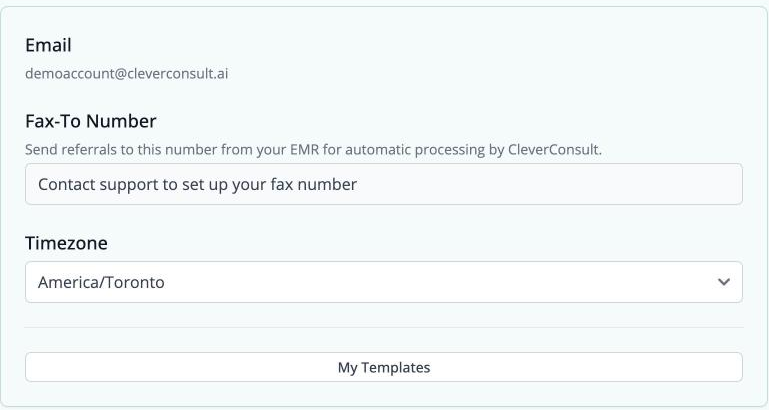
You will find your fax number under Profile. If it reads "Contact support to set up your fax number", get in touch and support will provision one for you.
Uploading documents directly
The Add Docs panel on a patient's chart accepts files in two forms. You can drop PDFs onto it, several at a time if you need to, and you can upload a photograph of a document as a JPG, PNG, HEIC or WebP file, which is useful for anything you only hold on paper.
Everything you upload is added to whichever patient chart is currently selected, so check that you have the right patient open before you begin.
Pasting text in
The same panel includes a free-text box, labelled "Paste or type additional information here", with a Submit Text button beneath it. This is the easiest way to add a detail that arrived by email or over the phone.
Checking what arrived
To see what CleverConsult received, open the Docs tab on the patient's chart, which shows the referral package alongside the consult note. Having the two side by side means you can check a detail against its source as you work.
If a package gets stuck
Use the Feedback button at the bottom of the chart. It reaches us with the context of the chart you are looking at.