How the pre-consult note works
The sequence
A referral package arrives for an upcoming appointment and CleverConsult reads it in full. It then writes a draft consult note into the chart ahead of the appointment, so that it is waiting for you when the appointment starts. You review and correct that draft either before the visit or at the start of it, and the AI Scribe then adds the visit itself to the same draft.
Where citations come from
Every claim in the draft points back to the place in the package it came from, so anything you want to check is a click away.
Turn citations on using the bookmark icon above the note, and small numbered badges appear at the end of each statement.
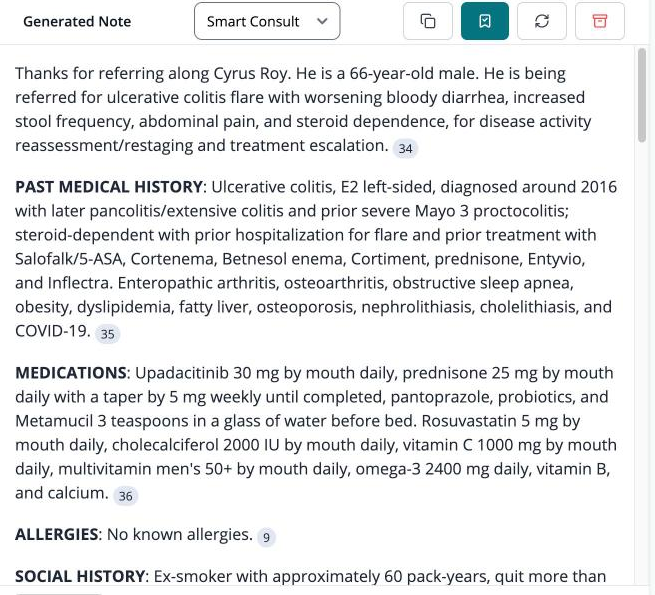
Each badge shows the page of the source document that the statement came from. Clicking one switches the right-hand panel to the Docs tab and opens that document at that page, which means verifying a claim takes a single click.
Long packages
Long and disorganised packages are the case this was built for, so length is comfortable and timing is the thing to watch. A package needs to reach CleverConsult far enough ahead of the appointment for it to be read in full.